
Turning advanced legal AI technologies into a coherent, user-friendly contract management platform_
Create a platform gathering and connecting Viasema’s solutions to analyse, search and generate contracts for companies legal team
Lead UX/UI Designer and design specialist, working directly with the founder, co-founder, and developer. Responsible for the overall project design and advising on decisions to ensure a user-centered approach.
What I had to work with
Startup environment
The project took place in a startup environment with limited budget, development time, and availability for meetings.
First designer
I was the first designer the team had worked with, meaning there was no existing design process, shared design language, or design culture in place.
Existing AI technology
The platform was built on multiple client-specific tools and existing technologies, which strongly constrained what could realistically be redesigned or unified.
My process
How I worked
Unifying fragmented tools into a coherent product
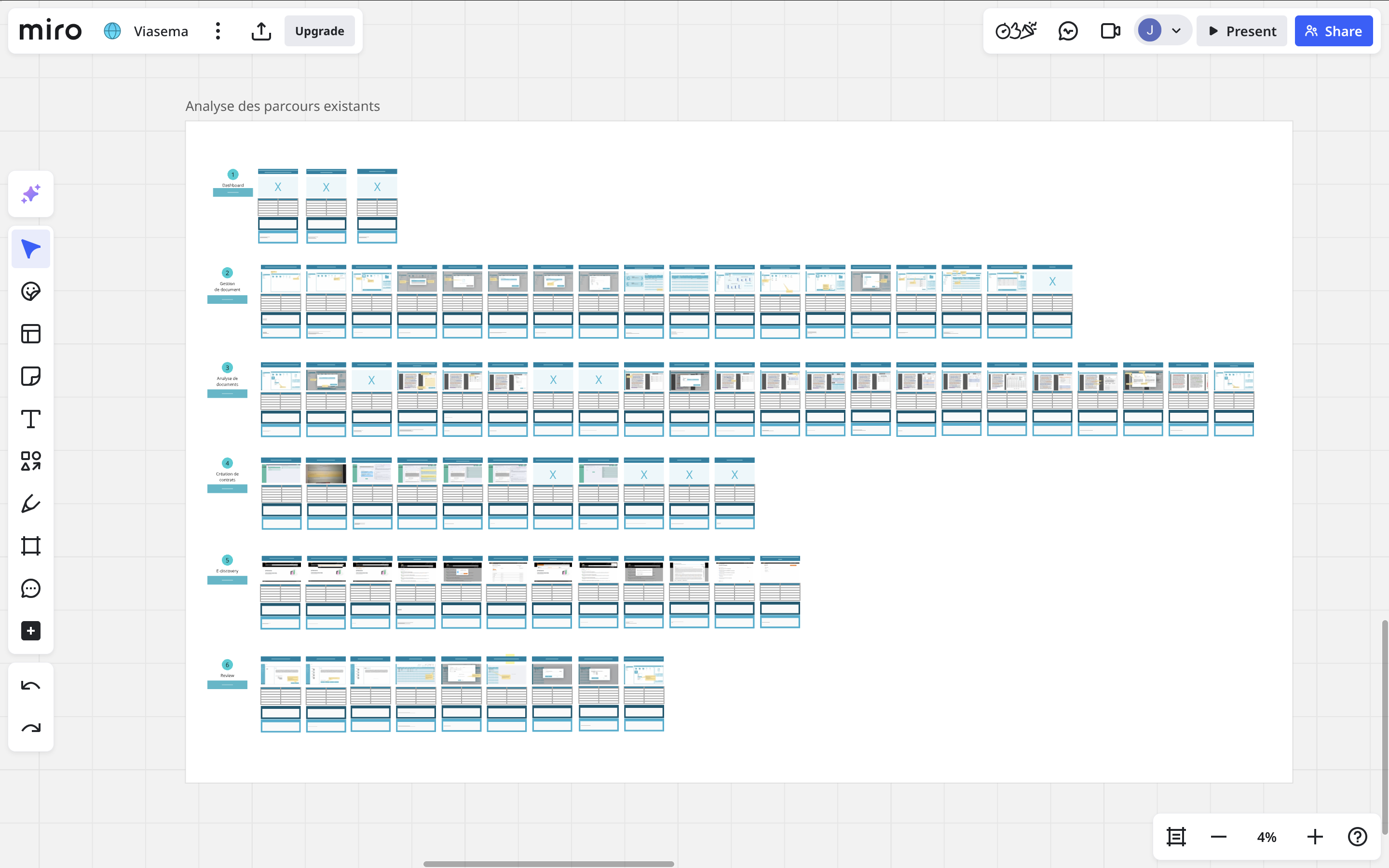

I defined an end-to-end user flow based on the existing tool, completed it around real user needs, and built a design system for consistent components, interactions, and behaviors: turning several client-specific knowledge tools into one coherent product.
This transformed a set of disconnected features into a usable, scalable platform that felt like one product instead of several tools.
Designing within strong technical and resource constraints
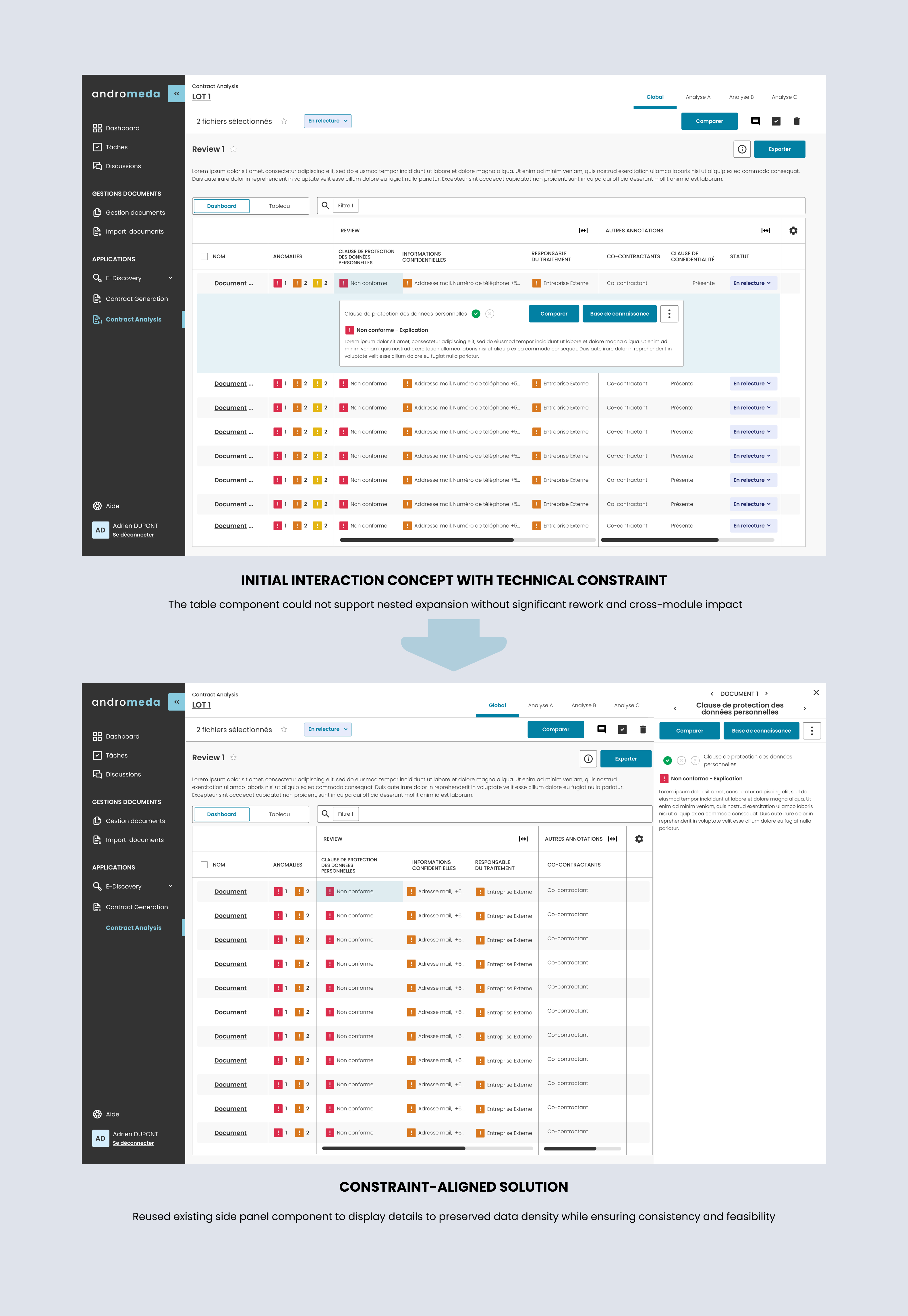
Given the limited time and resources, I strategically reused existing patterns and functionality, adapting them to fit both technical constraints and product goals.
This enabled progress without overloading development, while still significantly improving usability and coherence.
Establishing design practice and aligning stakeholders
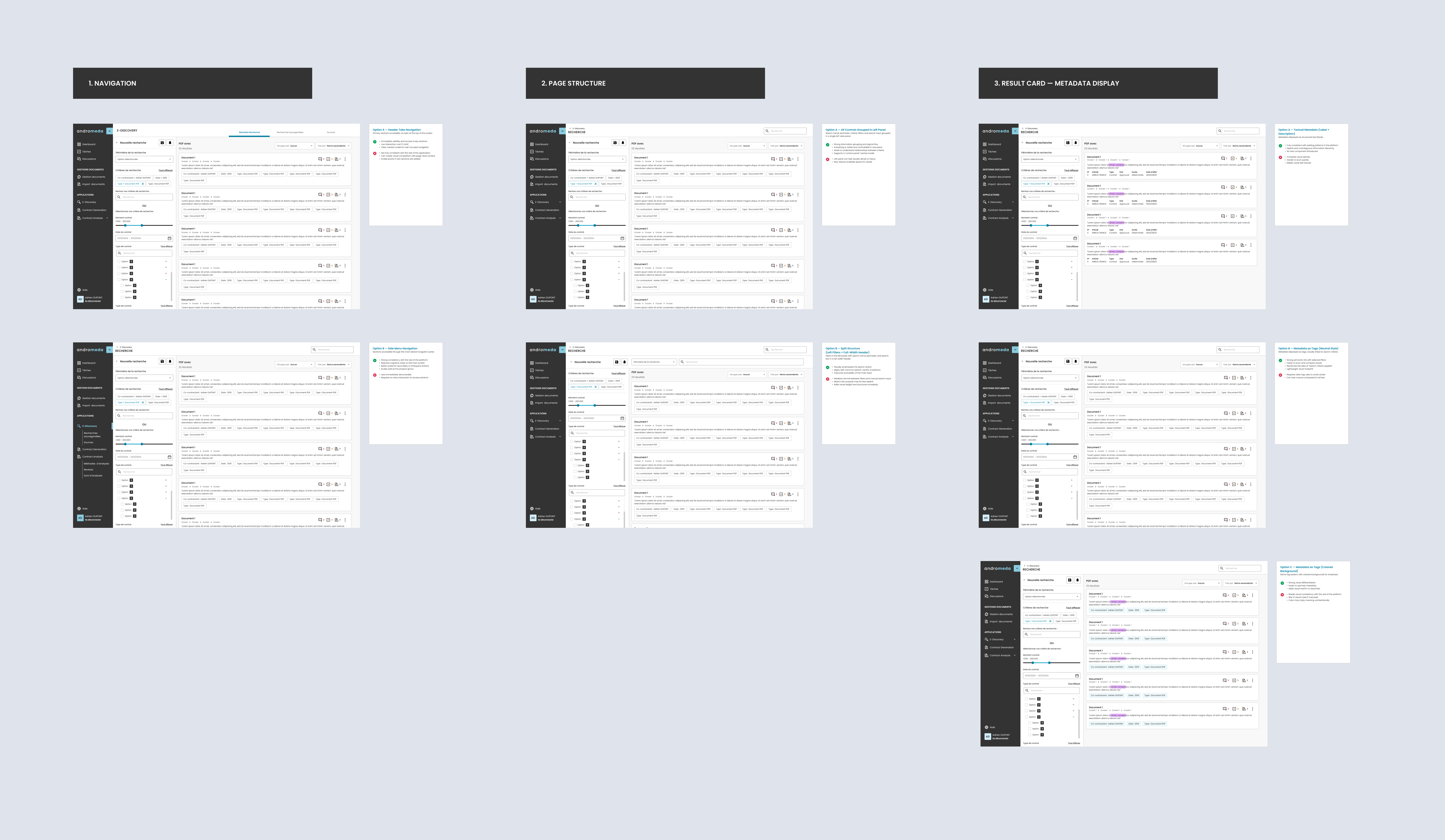
As the first designer, I adopted a highly pedagogical approach, explaining design decisions, facilitating alignment through rapid mockups, and using quick iterations to support stakeholder decision-making.
This built trust in the design process, accelerated decisions, and helped establish a shared understanding of product and UX principles.
What I did
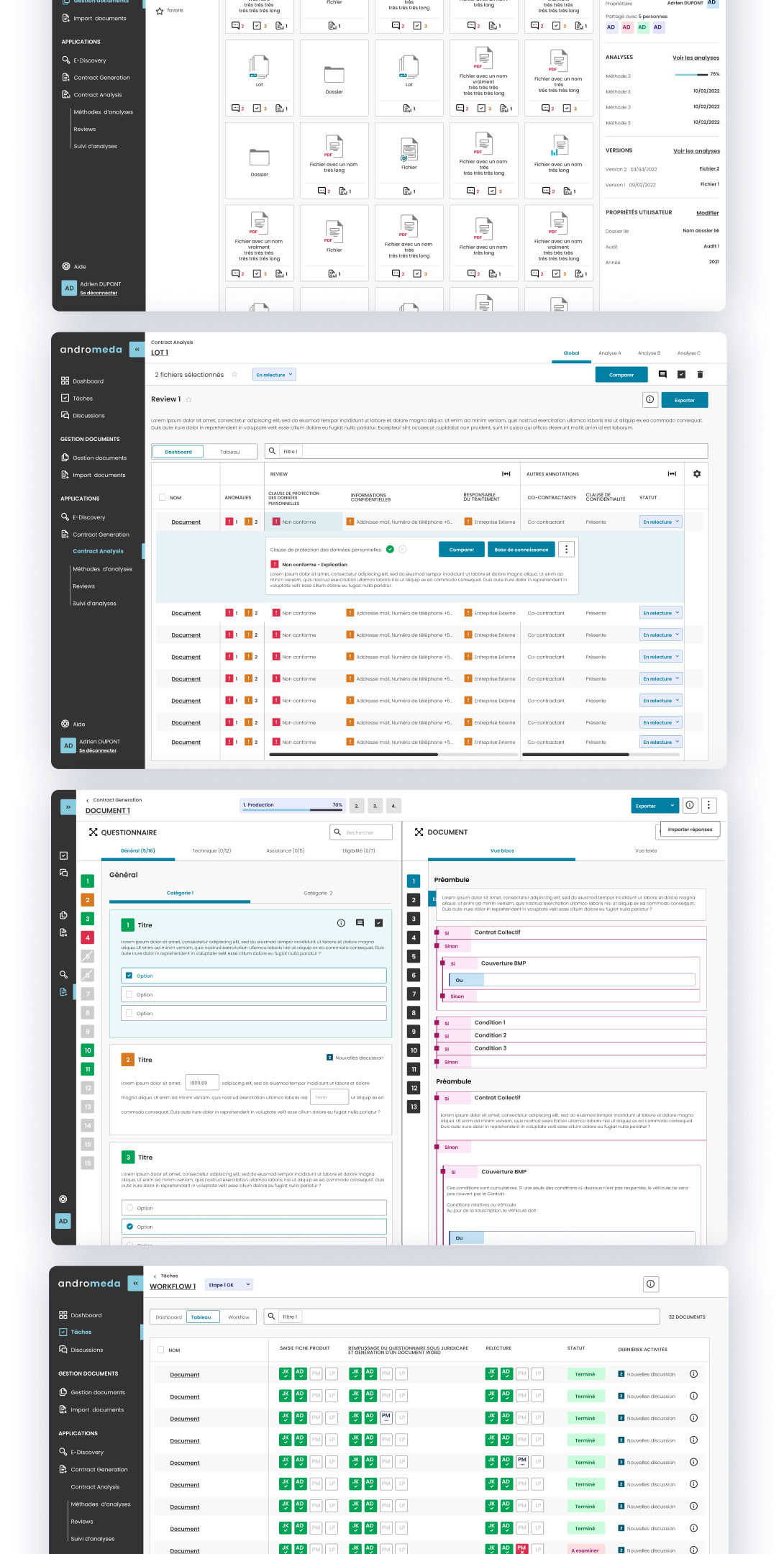
Layered information display
Users need to manage numerous resources of different types with multiple possible actions
Show essential info first, with details available on demand
Activity counts at a glance
Resources display activity counts with click-through access to detailed information
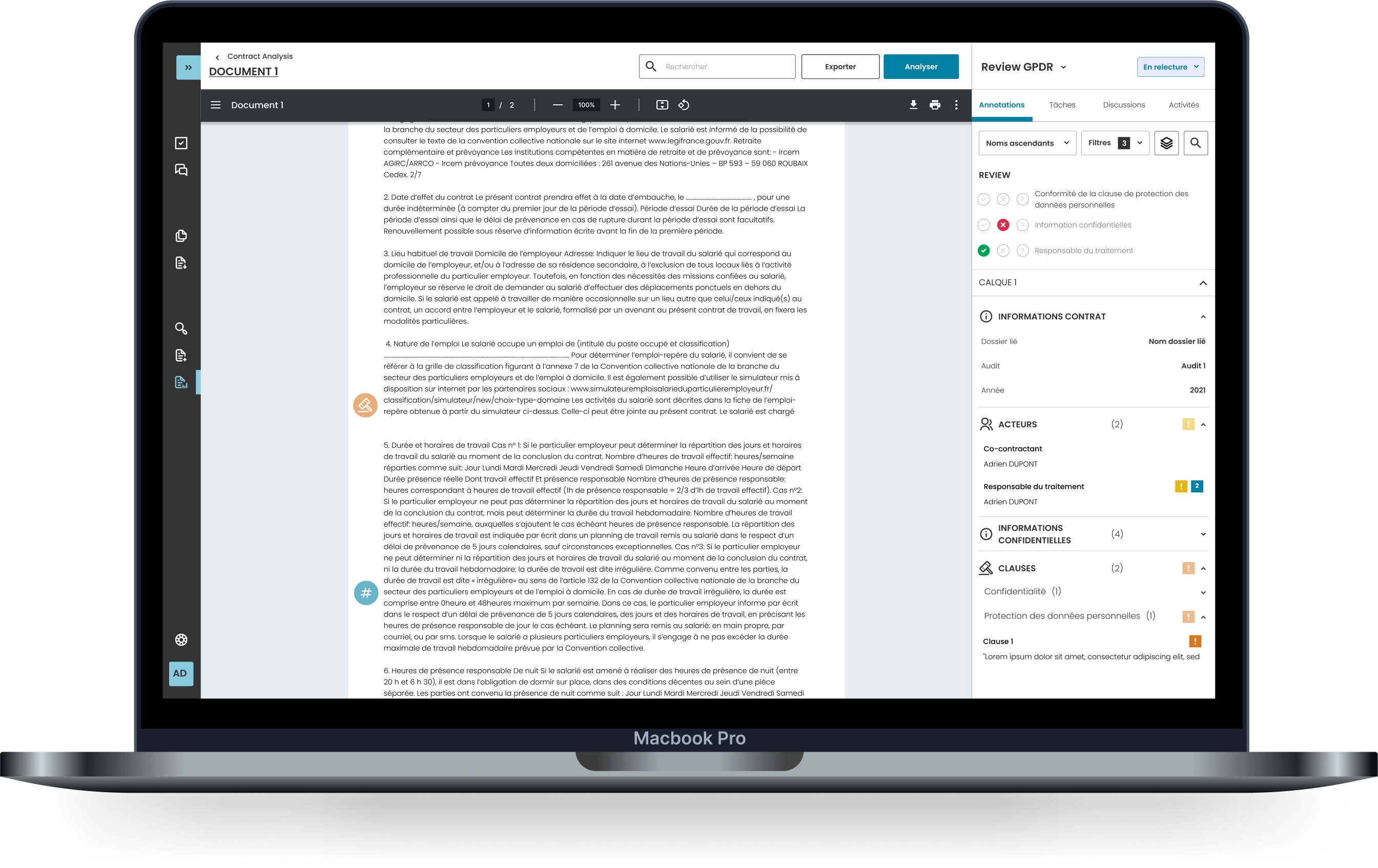
Progressive annotation detail
Annotations show only titles, with hover revealing additional info and click providing full actions
Guided AI setup
AI options are complex and unfamiliar: users don't know which settings fit their needs
Defined the available options and presented them in a simple way, guiding users in the choice and configuration of the right settings
Recommended analysis types
When starting a new analysis, users can easily choose and configure the right one, thanks to clear categories, simple descriptions, and guided fields.
Guided contract model choice
When generating a new contract, users can select the right model and set up its settings, guided by simple descriptions.
Clear progress visibility
In multi-step workflows, users lose track of what's done, pending, or assigned to whom
Users can track status of different operations
Workflow progress for managers
Managers can see task assignments and progress in contract creation workflows
Answered versus pending questions
Users can monitor answered questions versus pending questions in their workflow
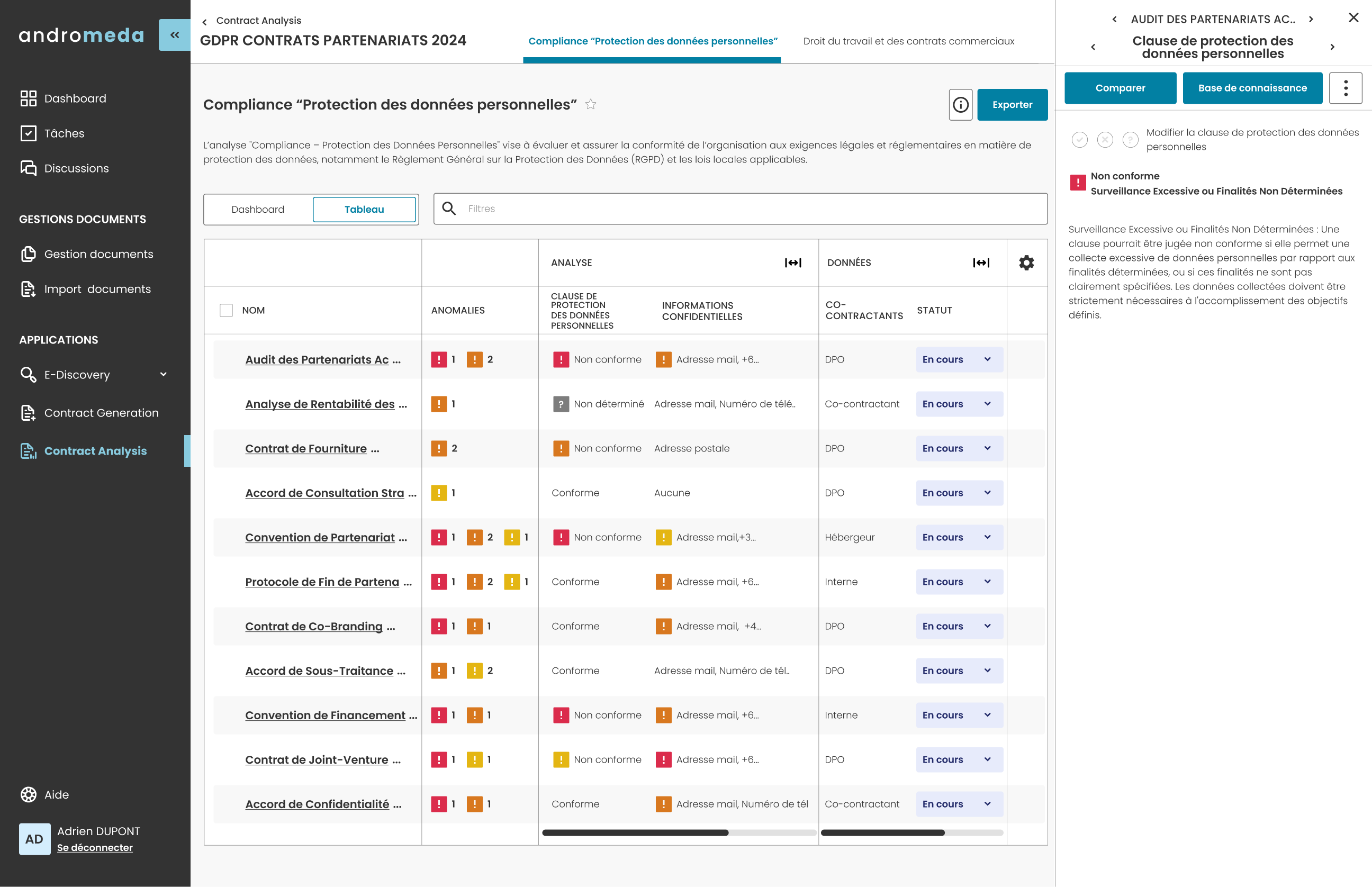
Smart visual alerts
Important issues get buried: users can't quickly tell what needs attention or how urgent it is
Color-coded highlights show what needs attention.
Color-coded anomaly alerts
Different levels of anomalies are highlighted in distinct colors within analysis results
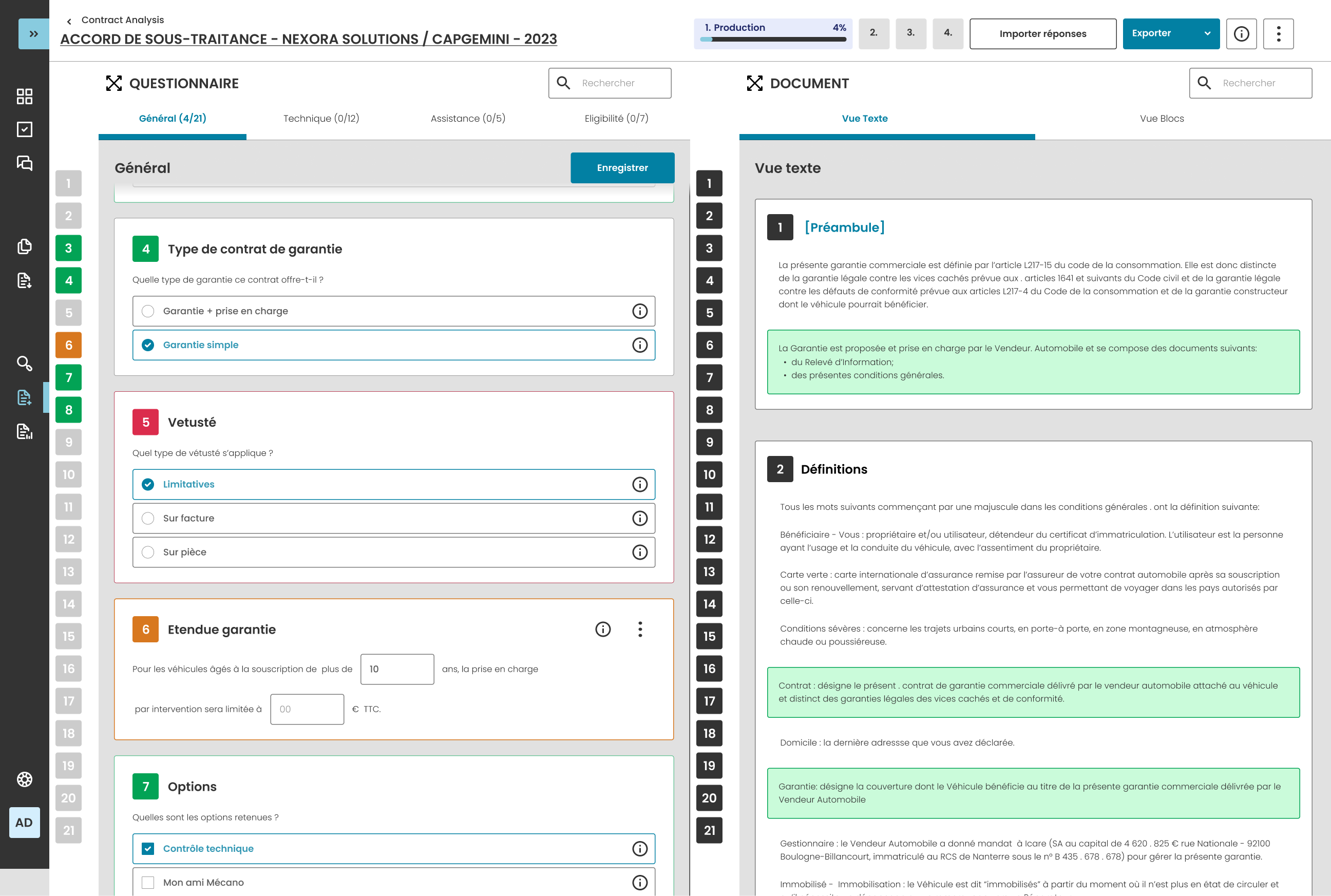
Flagged questions in generation
Pending questions or problematic questions are color-coded in contract generation
Built-in collaboration
Several people work together on the same contracts, each handling different parts, so they need a way to coordinate directly on the shared work.
Enable discussion and task assignment directly within the platform, tied to the relevant work.
Discussion and tasks in place
Teams can discuss and assign tasks directly within the platform
The impact I made
Prototype successfully demonstrated value to investors and potential clients
Major clients showed interest based on design and functionality
User testing satisfaction score